
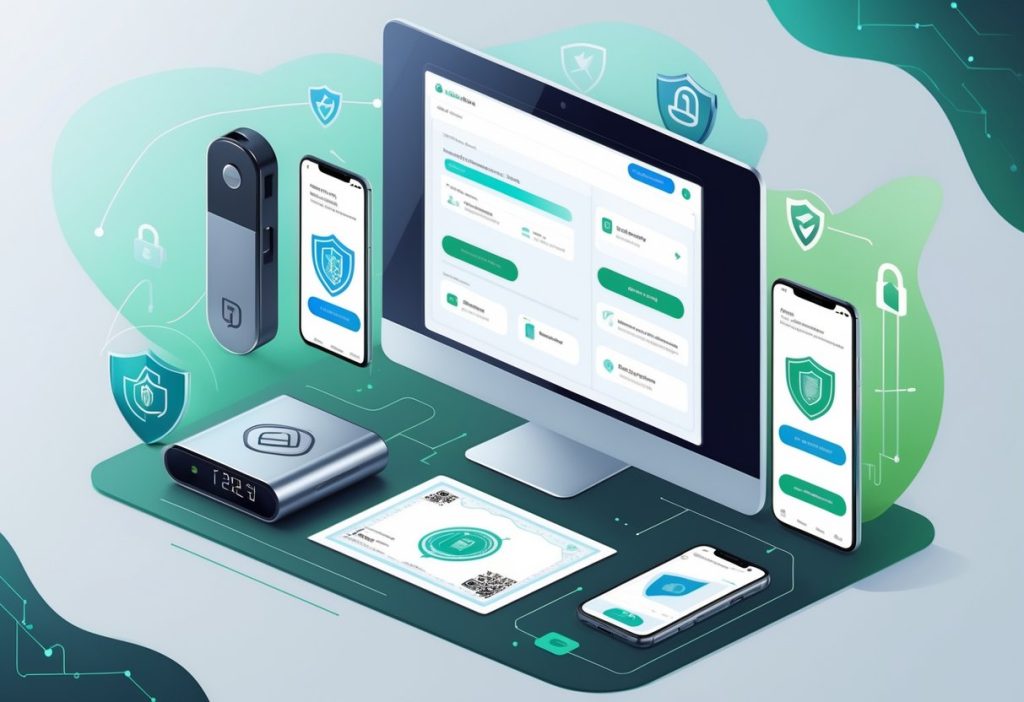
Types of Crypto Wallets
Crypto wallets come in several forms, each designed for different security needs and usage patterns. The main distinctions are between hot and cold storage, software and hardware options, and who controls the private keys.
Hot vs Cold Wallets
Hot wallets stay connected to the internet. They work through apps on phones or computers, making it easy to send and receive crypto quickly. Players use hot wallets for active trading and regular transactions because they’re convenient.
Cold wallets have no internet connection. They store private keys offline, which protects them from online hackers and malware. Hardware devices and paper wallets fall into this category.
Hot wallets offer speed and convenience but face more security risks. Cold wallets provide stronger protection but take more time to access funds. Many crypto users keep small amounts in hot wallets for daily use and store larger holdings in cold storage for long-term safety.
Software vs Hardware Wallets
Software wallets are programs that run on devices. Mobile apps like Best Wallet and Zengo let users manage crypto from their phones. Desktop programs offer similar features on computers. Browser extensions connect directly to crypto casino sites and DeFi platforms.
Hardware wallets are physical devices that store private keys offline. Products like Ledger and Cypherock X1 keep keys on secure chips that never connect to the internet. Users plug them into computers only when making transactions.
Software wallets cost nothing to download and set up. Hardware wallets require an upfront purchase, usually between $50 and $400. The extra cost buys stronger security through dedicated hardware built to protect crypto.
Custodial vs Non-Custodial Wallets
Custodial wallets let a third party hold the private keys. Crypto exchanges typically provide custodial wallets when users create accounts. The company manages security and recovery, which makes the experience simpler for beginners. If a player forgets their password, customer support can help restore access.
Non-custodial wallets give users complete control over their private keys. No company or service can access the funds. This means full ownership but also full responsibility. If someone loses their recovery phrase, the crypto is gone forever.
Custodial options work well for players who want convenience and customer support. Non-custodial wallets suit those who value independence and don’t want to trust a third party with their funds.
Core Security Features of Crypto Wallets
Crypto wallets protect digital assets through three main security layers: private key encryption, backup systems, and multi-signature setups that require multiple approvals for transactions.
Private Key Security
A private key is a long string of numbers and letters that proves ownership of cryptocurrency. Without it, no one can access or move the funds in a wallet. This key works with cryptography to sign transactions and verify identity on the blockchain.
Most wallets encrypt private keys using advanced algorithms. This means the key gets scrambled into unreadable code that only the correct password can unlock. Hardware wallets store these keys on physical devices that never connect to the internet, making them nearly impossible for hackers to reach remotely.
The biggest risk comes from user behavior, not the technology itself. Storing private keys in email, cloud storage, or screenshots creates easy targets for malware and phishing attacks. Writing keys on paper and keeping them in a secure physical location remains one of the safest methods.
Many modern wallets never expose the actual private key to users. Instead, they generate a seed phrase—a series of 12 to 24 random words that can recreate the private key if needed.
Backup and Recovery Options
Seed phrases act as a master backup for crypto wallets. These words must be written down exactly as shown and stored offline. A single missing or incorrect word makes recovery impossible.
Most wallets generate seed phrases during initial setup. Users should:
- Write the phrase on paper or metal (not digitally)
- Store copies in multiple secure locations
- Never photograph or type the phrase on internet-connected devices
- Test recovery on a small amount before trusting it fully
Some wallets offer additional backup methods like encrypted cloud storage or social recovery, where trusted contacts hold parts of the recovery information. These options trade some security for convenience, which works better for smaller amounts used in regular transactions.
Hardware wallets often include recovery sheets specifically designed to record seed phrases. The phrases work across compatible wallets, so users can switch devices without losing access to funds.
Multi-Signature Protection
Multi-signature (multisig) wallets require approval from multiple private keys before processing any transaction. A common setup might need two out of three keys to authorize a transfer.
This feature protects against single points of failure. If one key gets compromised or lost, the funds remain secure. Multisig works well for shared accounts, business treasuries, or high-value personal holdings.
The setup involves distributing keys to different people or storing them on separate devices in different locations. A player might keep one key on a hardware wallet, another on a mobile device, and a third with a trusted family member.
Some wallets make multisig easy to configure through simple interfaces. Others require more technical knowledge to set up properly. The added security comes with slightly more complex transaction processes, since each approval must happen before the blockchain accepts the transfer.
Best Crypto Wallets for Casino Players
Casino players need wallets that balance security with quick access to funds. The right wallet supports multiple cryptocurrencies, connects easily to casino platforms, and keeps private keys safe from online threats.
Top-Ranked Wallets in 2025
- Ledger Nano X leads the hardware wallet category with support for over 5,500 cryptocurrencies and a CC EAL5+ security chip. The device connects via Bluetooth or USB, making it practical for players who manage large balances. It integrates with MetaMask, allowing access to decentralized casino platforms while keeping private keys stored offline.
- MetaMask serves as the most widely used hot wallet for casino players. It works as a browser extension and mobile app, connecting directly to Web3 casinos without requiring identity verification. Players can switch between Ethereum, BNB Chain, and Polygon networks to find lower transaction fees.
- Trust Wallet offers mobile-first access to over 70 blockchains and 4.5 million assets. The built-in Web3 browser lets players interact with decentralized casinos directly from the wallet interface. Binance backs this wallet, and it requires no personal information to set up.
- ELLIPAL Titan 2.0 provides the highest security level through complete air-gap technology. The device never connects to Wi-Fi, Bluetooth, or USB. Players sign transactions using QR codes, and the wallet self-destructs if tampering occurs.
Key Selection Criteria
Security level determines how well a wallet protects funds during casino transactions. Hardware wallets like Ledger Nano X and ELLIPAL store private keys on physical devices with bank-grade security chips. Hot wallets like MetaMask keep keys on internet-connected devices, making them more convenient but less secure for large amounts.
- Cryptocurrency support matters because different casinos accept different tokens. A wallet should support Bitcoin, Ethereum, USDT, and other popular gambling currencies. Multi-chain support allows players to choose networks with lower fees.
- Casino compatibility affects how smoothly deposits and withdrawals work. Wallets with MetaMask integration or WalletConnect support connect directly to most crypto casinos. Mobile wallets with Web3 browsers let players access decentralized platforms without switching apps.
Transaction speed and fees vary by wallet and blockchain network. Layer-2 solutions like Base offer transactions under $0.10, while Ethereum mainnet can cost significantly more during busy periods. Players should consider which networks their preferred casinos support.
Popular Wallet Brands
- Ledger manufactures the most trusted hardware wallets in crypto gambling. The Nano X model costs $129 and has served over 10 million users. The brand’s Ledger Live app manages multiple cryptocurrencies, and the device works with MetaMask for casino access.
- MetaMask remains the standard wallet for Ethereum-based casinos. The free software wallet connects to thousands of decentralized applications. Players control their private keys, and the wallet supports custom network configurations for lower-cost alternatives to Ethereum.
- Trust Wallet brings Binance’s backing to mobile crypto storage. The wallet has accumulated over 60 million downloads and supports more blockchains than most competitors. Players get a built-in dApp browser for direct casino access.
- ELLIPAL specializes in air-gapped cold storage with models ranging from $119 to higher-end options. The metal construction and tamper-proof design appeal to players storing significant winnings. The wallet supports over 10,000 tokens across 40+ blockchains.
Practical Wallet Security Tips
Strong passwords, clean devices, and awareness of scams form the core of wallet protection. These habits work together to block most attacks before they happen.
Password Hygiene and 2FA
Weak passwords make wallets easy targets. A strong password should contain at least 12 characters with a mix of uppercase letters, lowercase letters, numbers, and symbols. Reusing passwords across accounts creates a domino effect where one breach can compromise everything.
Password managers solve this problem by generating and storing complex passwords automatically. They eliminate the need to memorize dozens of credentials while keeping each account isolated. Popular options include Bitwarden, 1Password, and Dashlane.
Two-factor authentication (2FA) adds a second checkpoint that stops attackers even when they steal a password. Authenticator apps like Google Authenticator or Authy offer the best balance of security and convenience. Physical security keys provide even stronger protection but require carrying extra hardware. SMS-based 2FA helps but remains vulnerable to SIM-swapping attacks where criminals hijack phone numbers.
Every crypto account should have 2FA enabled, including exchanges, hot wallets, and email accounts linked to recovery options.
Device and Network Safety
The device used to access a wallet matters as much as the wallet itself. Malware can record keystrokes, capture screenshots, or redirect transactions to attacker-controlled addresses. Keeping operating systems, browsers, and wallet software updated patches known vulnerabilities that criminals actively exploit.
Antivirus software catches many threats but shouldn’t be the only defense. Avoid downloading wallet apps from unofficial sources or clicking suspicious email attachments. Browser extensions deserve special attention since malicious versions often mimic legitimate tools.
Public Wi-Fi networks expose wallet activity to anyone monitoring the connection. Coffee shops, airports, and hotels rarely secure their networks properly. Mobile data or a trusted home network provides safer access. A reputable VPN encrypts traffic and hides activity from prying eyes when using shared networks becomes necessary.
Avoiding Phishing and Scams
Phishing attacks trick users into handing over credentials or seed phrases through fake websites and urgent messages. These scams have become more sophisticated, often copying official branding and domain names with subtle misspellings.
Manually typing wallet URLs or using saved bookmarks prevents accidental visits to fake sites. Attackers send emails claiming accounts need “urgent verification” or “security updates” that link to credential-harvesting pages. Legitimate support teams never ask for seed phrases, private keys, or passwords through email or direct messages.
Common warning signs include:
- Unexpected urgency or threats of account closure
- Spelling errors in URLs or sender addresses
- Requests to share sensitive recovery information
- Too-good-to-be-true offers or giveaways
When doubt arises, navigate to the official site independently rather than clicking provided links. Taking an extra minute to verify authenticity prevents permanent losses that can’t be reversed.
Frequently Asked Questions
How do you set up a crypto wallet for the first time, ensuring maximum security?
Setting up a crypto wallet starts with choosing a reputable wallet provider. Download wallet apps only from official websites or verified app stores to avoid fake versions that steal private keys.
During setup, the wallet generates a seed phrase, usually 12 to 24 words. Write this phrase on paper and store it in a secure place like a fireproof safe. Avoid taking screenshots or saving it digitally, as this can expose your wallet to hacks and malware.
Enable all available security features during setup, such as two-factor authentication and biometric locks if supported. Use a strong, unique password for extra protection.
Before transferring large amounts, test the wallet with a small transaction. This ensures the wallet works properly and that you understand how to send and receive funds.
What are the best practices for safely storing the private keys of your digital wallet?
Never store private keys digitally where hackers can access them. Cloud services, email drafts, and note-taking apps are not secure.
The safest method is to write private keys or seed phrases on paper and keep them in a secure location. Many people use home safes, safety deposit boxes, or other protected areas.
For long-term storage, metal backup solutions protect against fire and water damage that can destroy paper copies. These devices engrave seed phrases into durable metal plates.
Create multiple copies and store them in different secure places. If one backup is lost or destroyed, you can still access your funds with another copy. However, more copies increase the risk of discovery, so balance accessibility with security.
Can you explain the differences between hardware and software wallets and which one is right for you?
Software wallets connect to the internet and work through mobile apps, desktop programs, or web browsers. They are convenient for frequent transactions but face higher security risks from online threats.
Hardware wallets are physical devices that store private keys offline. They only connect to the internet when signing transactions, making them much more resistant to hacking and malware.
Active traders or those needing quick access may prefer software wallets for daily use. Those holding crypto long-term or managing large amounts should choose hardware wallets for better security.
Many users combine both types: keep small amounts in software wallets for spending, and store most holdings in hardware wallets offline. This balances security and usability.
What steps should you take if you suspect your crypto wallet has been compromised?
Immediately transfer all remaining funds to a new, secure wallet. Attackers may drain the compromised wallet quickly.
Create the new wallet on a clean device that hasn’t been exposed to malware. If your computer is infected, use a different device or a new hardware wallet.
After moving funds, revoke any permissions or connections the old wallet had to decentralized apps and smart contracts. Many blockchain explorers offer tools to check and cancel these authorizations.
Change passwords and security credentials for all related accounts, including exchanges and emails. Review recent transactions to understand the breach and prevent future incidents.
How can you protect your crypto assets from phishing attacks and other common security threats?
Phishing attacks often arrive through emails or messages with fake links. Never click wallet-related links from emails; type website addresses directly into your browser.
Check website URLs carefully to avoid fake sites designed to steal login credentials. Scammers often create addresses that look almost identical to real wallet sites.
Some malware replaces copied wallet addresses with attacker addresses. Always verify the full receiving address before confirming any transaction.
Avoid public Wi-Fi when accessing wallets to reduce the risk of man-in-the-middle attacks. Hackers on shared networks can intercept data between your device and wallet servers.
Real wallet support teams never ask for seed phrases or private keys. Anyone requesting this information is running a scam. Ignore such requests and report them to the actual wallet provider.
What are the implications of losing access to your crypto wallet, and how can you prevent it?
Losing access to a crypto wallet means losing the funds permanently. Unlike banks, no customer service can recover lost private keys or reset forgotten passwords.
The blockchain still shows the funds at that wallet address, but without the private key, no one can access them. These coins become frozen forever.
Users can prevent this by keeping secure backups of their seed phrases in different safe places. Regularly checking these backups ensures they are still readable and accessible.
Testing wallet recovery with small amounts before storing large sums confirms the backup process works. Practicing wallet restoration from the seed phrase helps users understand recovery steps.
Creating an inheritance plan allows trusted family or executors to access crypto assets if something happens to the owner. This means providing secure instructions about wallet locations and recovery phrases without exposing them to risk during the owner’s lifetime.